
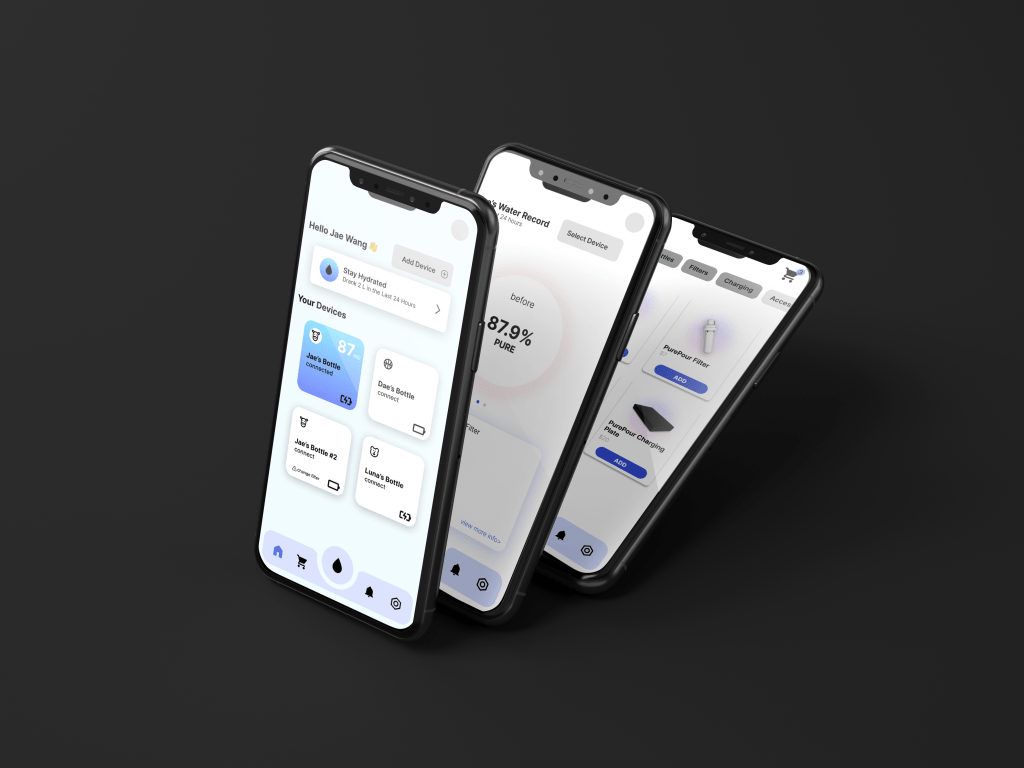
Case Study: PurePour
A multimedia product that allows users to check how clean their water is as well as get notified when to replace the filter. The company is held accountable for being reliant by allowing users to view their water quality. The app also allows users to buy filters and products straight from the app in order to make it easier for users to replace their filters.
Tools
FIGMA / Illustrator / Photoshop / Procreate
Timeline
1 Month
Role
Product Designer / UX Researcher / UI Designer
Date Completed
November 2023
Features
Connectivity & Overview
Users are able to control their devices from one screen and shows the amount of battery as well as connecting with different deviopces to get the individual information of each water bottle.

Homepage
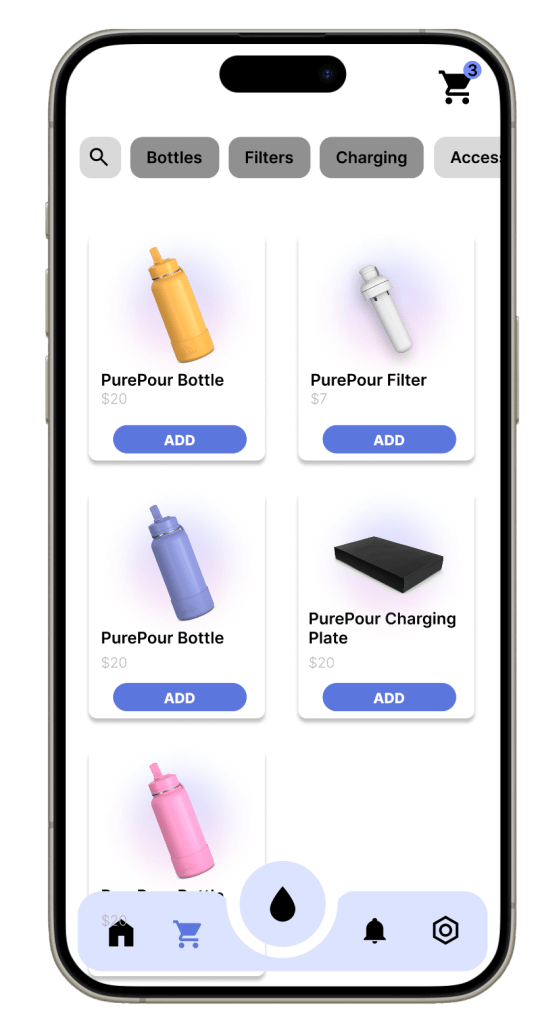
Product Page
Online Ordering in App
Gives the users an opportunity to replace their filter straight from the app after having received a notification to replace the filter.
Transparency with Users
Gives the users an opportunity to replace their filter straight from the app after having received a notification to replace the filter.

Filter Page
01. User Research
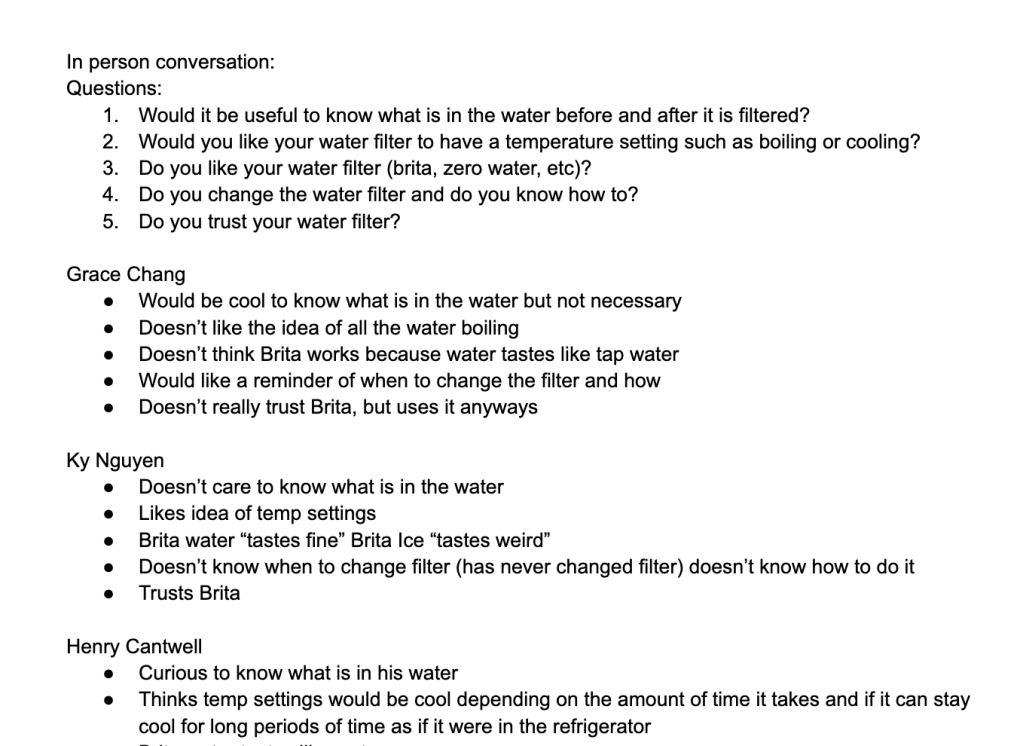
User Interviews
I interviewed 8 participants with the goal of understanding their water usage & what their relationship is with tap water. My focus was to identify what the key aspects are that would make the water filter an easy & simple experience.

Surveys
I sent out surveys to random college students in order to gather more information on their water filtration uses and their current experience with competitors.
Motivation
Have clean and safe water
Maintain good health
User Pains
If app is high maintenance & doesn’t easily fit into daily routines.
Goals
Improve Water Quality
Easy process for users for filter replacement
Simple process to maintain healthy water
Improve people’s health


Secondary Research
We researched water quality in cities, the types of chemicals the users drink in their tap water, and different types of filters used for water filtration.
02. Synthesize
Insights from Research
My team and I established the essential design goals & key features based on the research data gathered from my interviews & and their secondary research. These will become my focus points when planning the designs for this project.
Key Features
Needs
A form to remind users when to replace filters
Creating a filtration device that takes little to no time to filter
Showcasing to users exactly what they are drinking
Pains
Having to wait for the water filter to fill up
Not knowing when to replace the filter
Odd taste of water occasionally
03. Ideating
5 Why’s Method
Used the 5 why’s method to lock in our main features and to ensure of people’s primary pains with water filtration devices.
Product Sketches
We made 40 different iterations of our Water Bottle & Filter concept. After having recieved feedback on our product sketches, we narrowed down our product to the portable water filter iteration.

04. UI Design
Generating Sketches & Prototypes
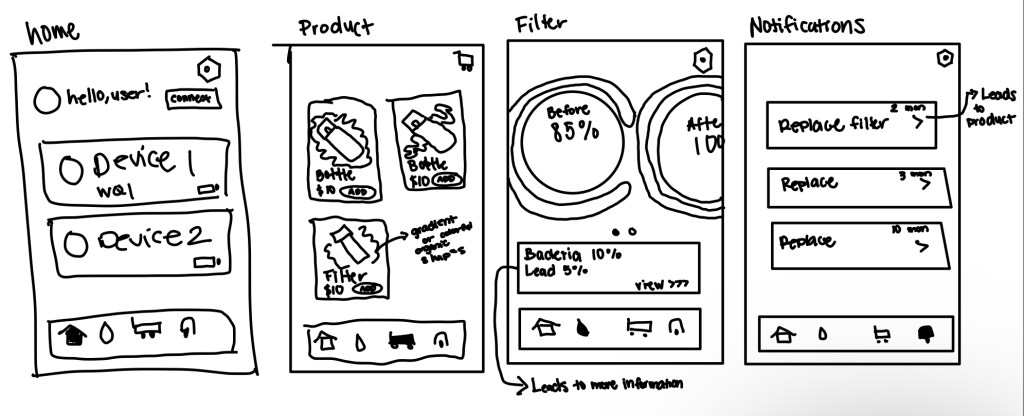
Hand Drawn Sketches
I drew the sketches and thought about the flow of the app. Main feature I considered was the water filtration page. I had to think about how to convey the information for users in a way that’s simple and easy.
Lo-fi Sketches
I blocked all the content and began to organize the frames and the actual flow of the app.

Final Screens

05. Product Design
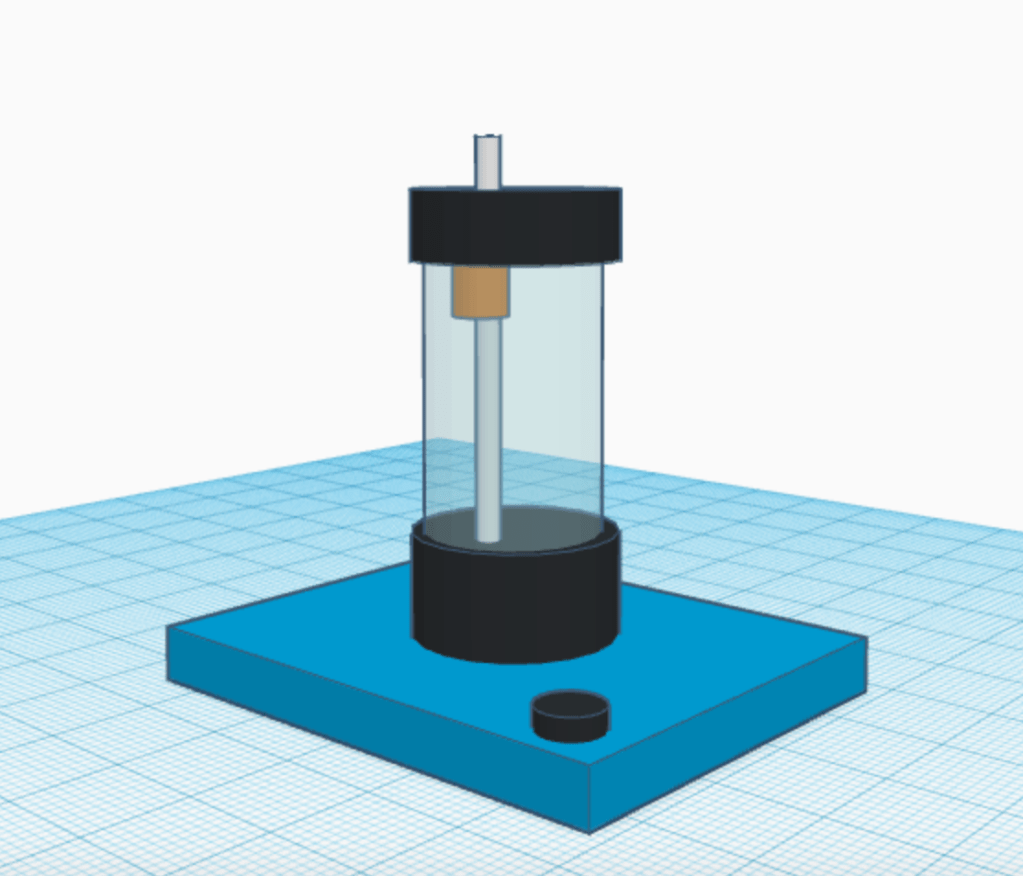
3D Modeling
I made the 3D model based of our sketches. I considered our features which included a portable filter concept and a cooling / heating plate at the bottom.
Physical Lo-fi Prototype
My team created the physical prototypes in order to view improvements needed for our product design.


Conclusion
From this project I learned how to collaborate effectively with a team. I also got to create a product and digital interface using the design process and I was able to create a user centric concept that would improve users water quality intake. The most challenging part was narrowing down an issue that we as designers could improve or fix with a mobile and product design.
 Anahlia Nguyen